
Patients & families
Register patients, group them into families with a head of family, review possible duplicates, and see each patient's visit history.
Clinic & pharmacy management software
E-POCH Medical System connects reception, the doctor and the pharmacy. Every visit flows from registration to consultation, prescription, dispensing and payment, with nothing typed twice and nothing lost.
See it in action
Each person gets a workspace built for their job. Pick a workspace to look around.
Screens shown with sample data. Click any screen to enlarge.
Features
Built for a single clinic or small practice where one or more doctors work alongside a front desk and an in-house dispensary.
Register patients, group them into families with a head of family, review possible duplicates, and see each patient's visit history.
Book or reschedule appointments and add walk-ins. The doctor calls the next patient, and skipped patients can be recalled.
Record vitals, clinical notes and coded diagnoses, attach documents, and set follow-ups. Allergies are flagged on screen.
Look medicines up by name or generic, get allergy warnings, repeat earlier prescriptions, download them as PDF, and list medicines to buy outside.
Prescriptions reach the pharmacy straight away. Pick and check each item, use substitution rules, and hand over with payment.
Batch and expiry tracking, low-stock and expiry alerts, stock adjustments with a reason, and medicine import from a file.
Keep a supplier directory, raise purchase orders and record goods received against them.
One invoice covers the consultation and medicines. Record payments by method and download the invoice as a PDF.
Patient volume, revenue, top medicines, follow-ups due and stock alerts, with PDF and CSV export.
Order lab tests from the consultation, track when reports come back, and record the results.
Keep letter templates and create medical letters for patients from their records.
Accounts for each staff member, with roles and a permission matrix set by the administrator.
Highlights
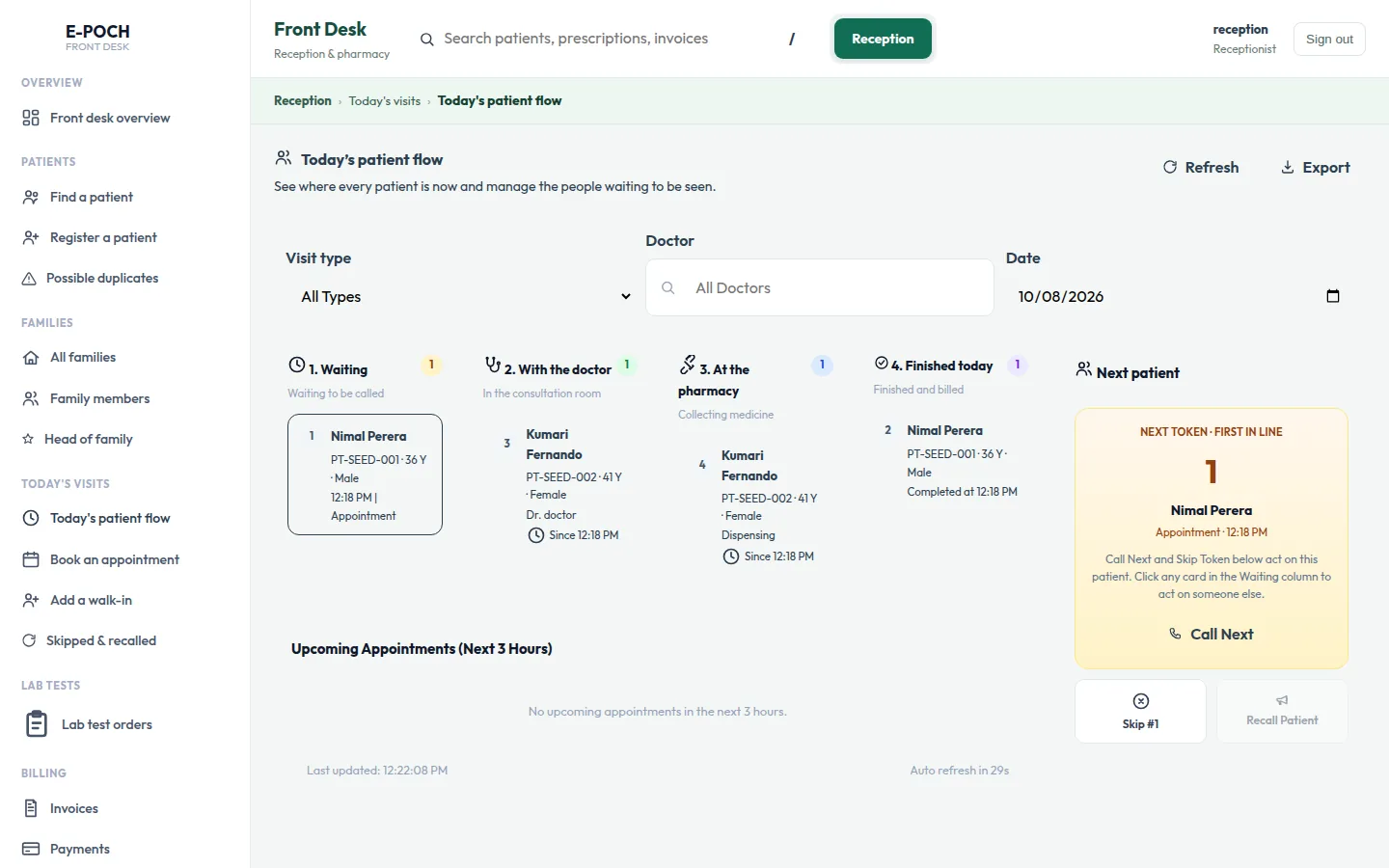
Reception
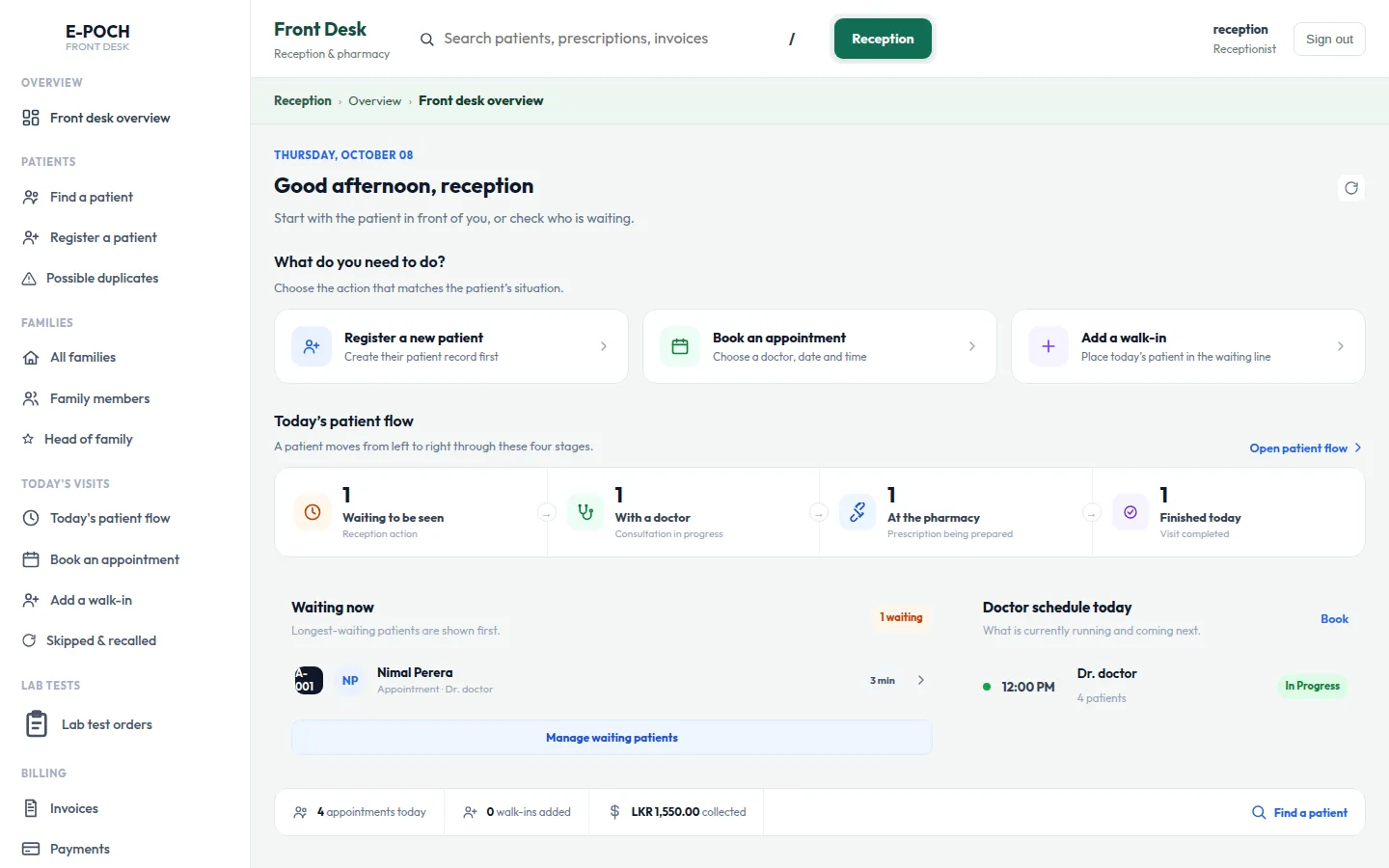
The patient flow board shows who is waiting, who is with the doctor, who is at the pharmacy and who has finished, so the front desk always knows what is next.
Doctor
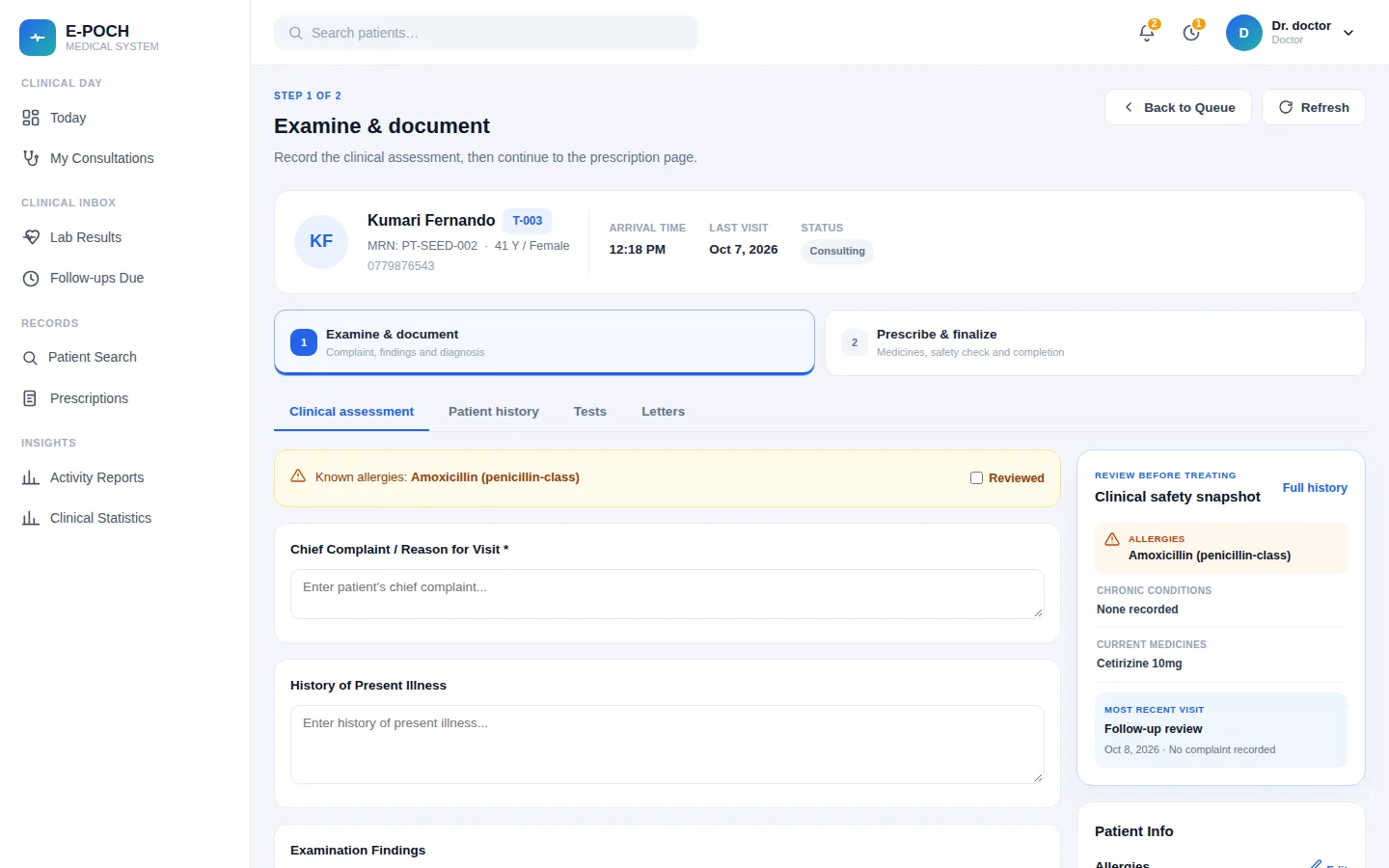
The doctor sees the patient's allergies, recent history and follow-ups beside the notes, then writes the prescription in the next step.
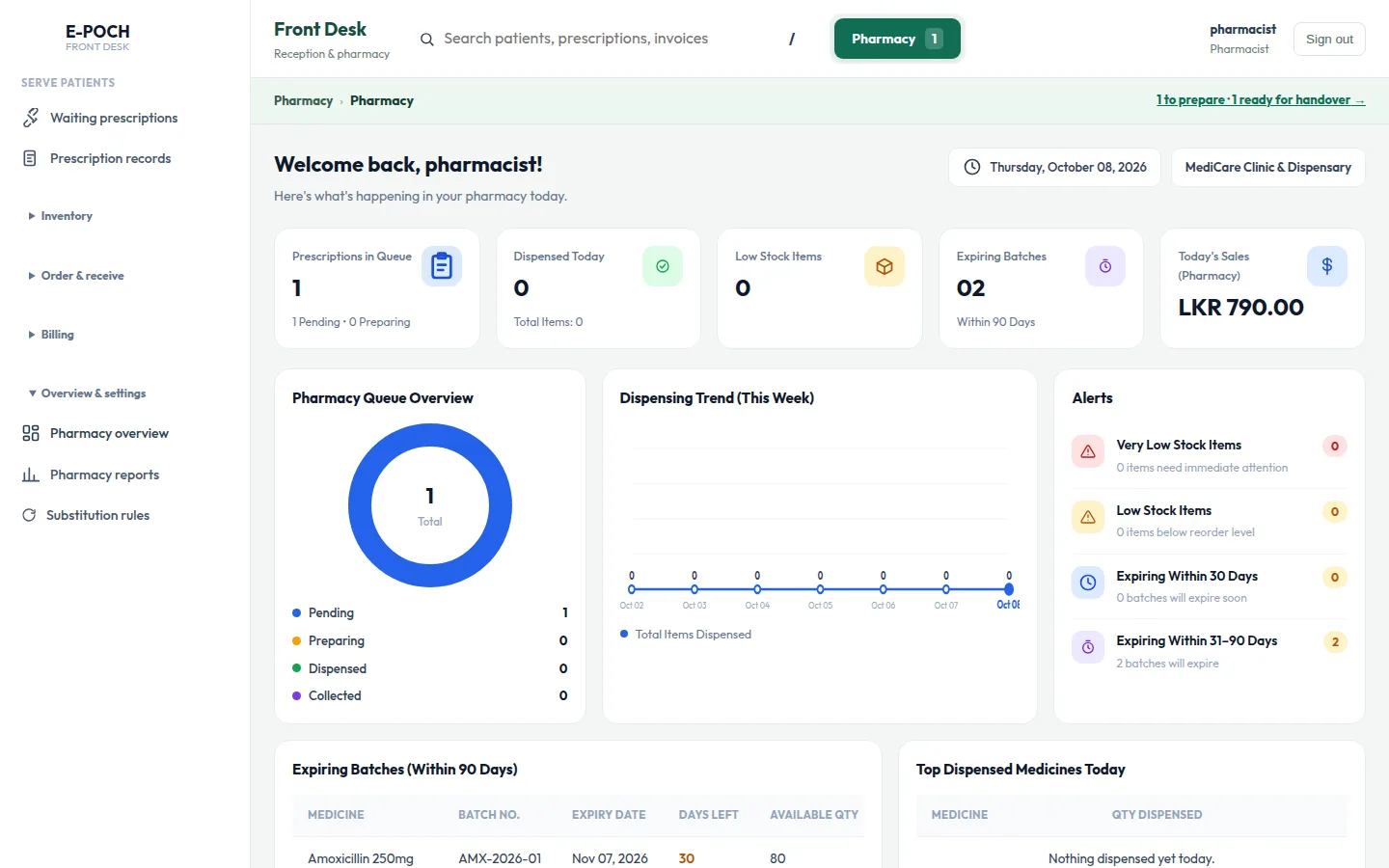
Pharmacy
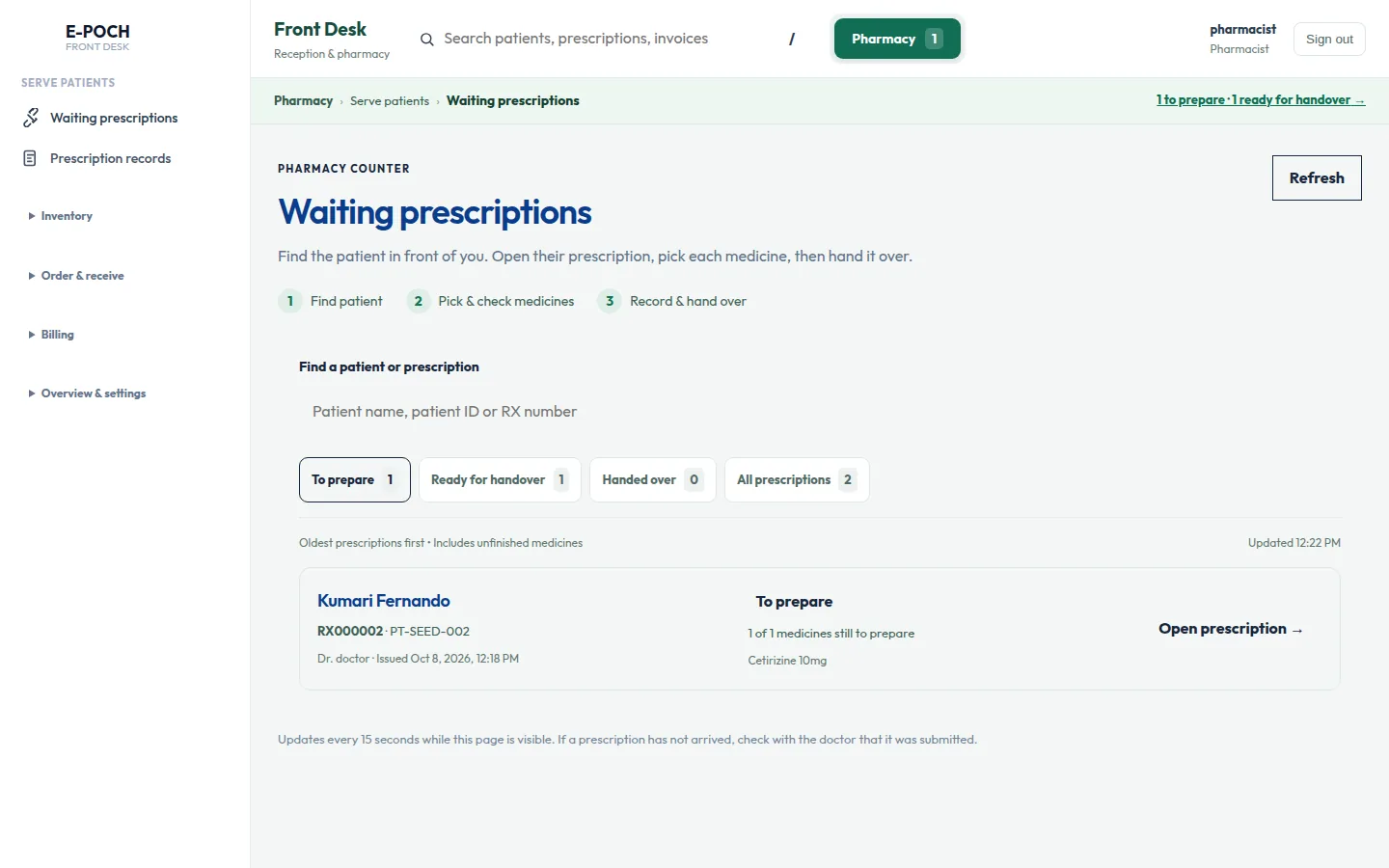
Prescriptions arrive at the pharmacy as soon as the doctor finishes. Stock is tracked by batch with expiry dates, and low stock and expiring items are flagged.
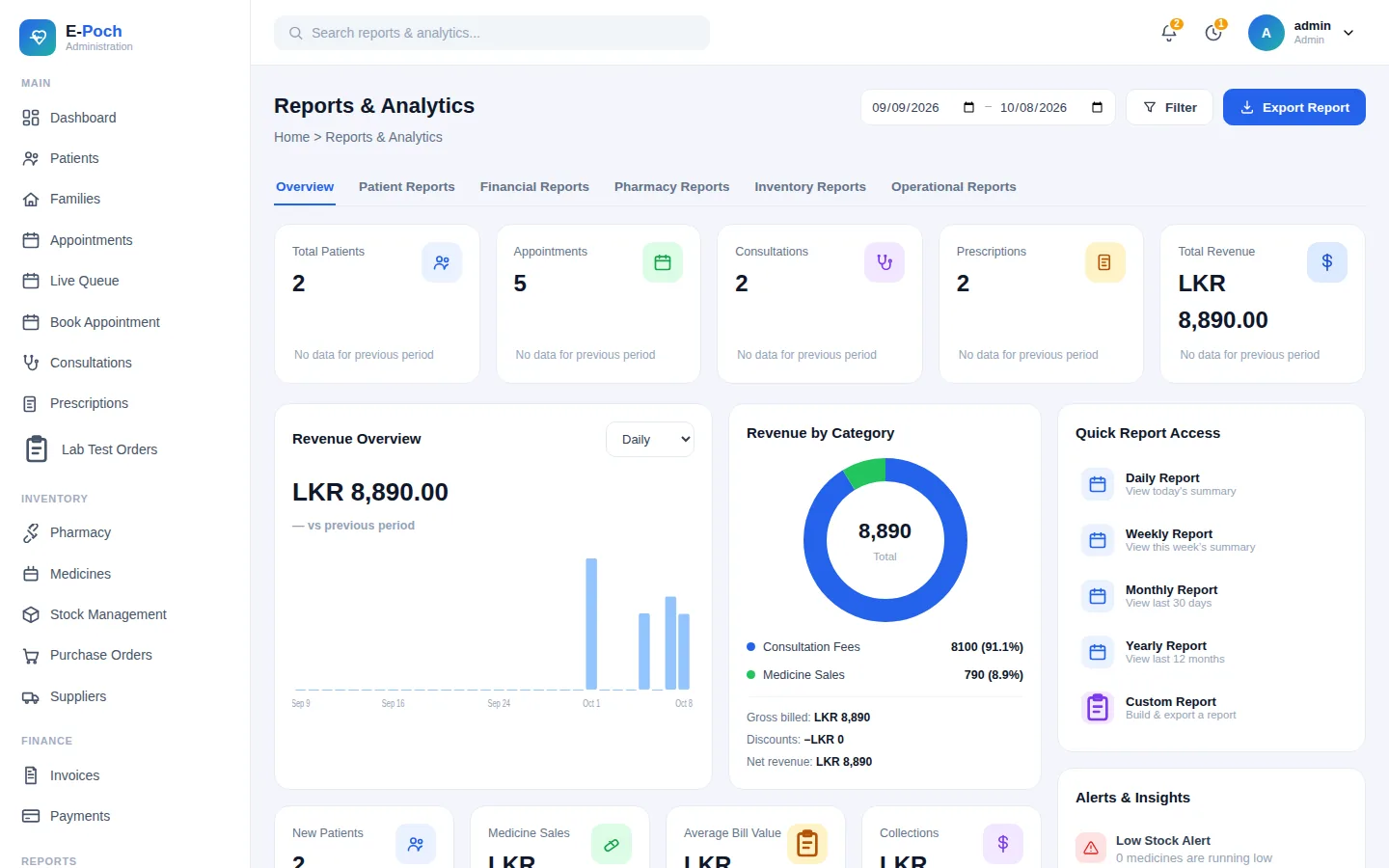
Administration
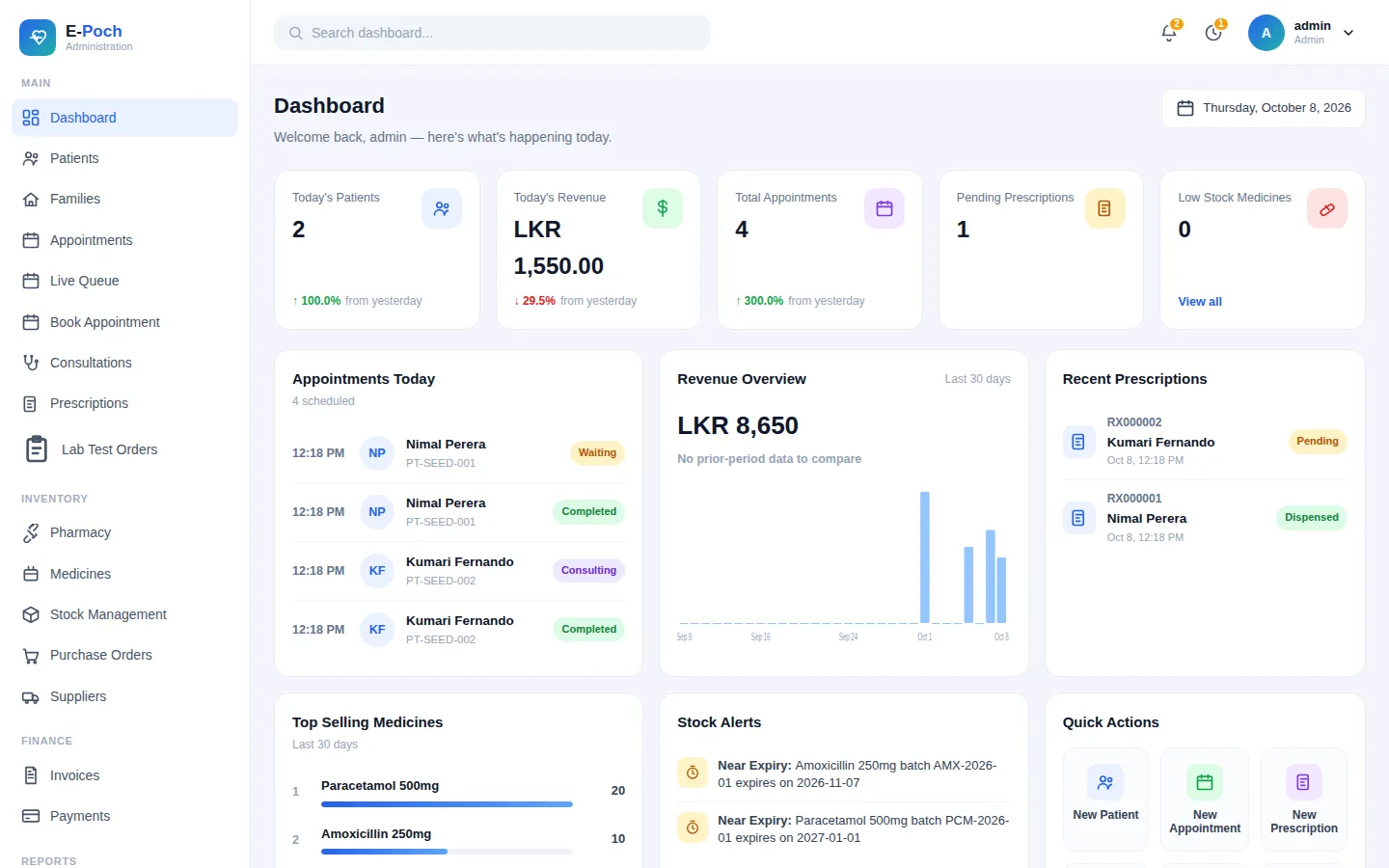
Dashboards and reports show patients, appointments, revenue and top medicines, and can be exported as PDF or CSV.
How it works
The patient is registered or found, then booked or added to the queue.
The doctor calls the next patient, records vitals and notes, and writes the prescription.
The prescription appears at the pharmacy right away. Medicines are picked from the right batch.
One invoice for the visit and medicines. The patient pays and leaves with a receipt.
Workspaces
Everyone opens the same address. The workspace that loads follows the person's role, and front-desk staff can switch between reception and pharmacy without signing out.
Users and roles, clinic profile, fees, reorder levels, reports and backups.
The doctor's queue, consultations, prescribing, lab results, follow-ups and clinical statistics.
Registration, families, appointments, the waiting queue, lab reports, invoices and payments.
Prescriptions to prepare, dispensing and handover, stock, suppliers, purchase orders and goods received.
Who it's for
Family doctors seeing walk-ins and regular patients every day.
Practices that hand out medicines at the counter after the consultation.
A few doctors sharing one front desk, one pharmacy and one patient list.
Security & reliability
E-POCH runs on a computer inside your clinic and is reached over your local network. Patient records are not sent to an outside server, and the system keeps working when the internet is down.
Setup & support
We set up the system on your clinic computers and connect them on your network.
We show your doctor, reception and pharmacy staff how to use their screens.
We set up automatic backups and check that your data can be restored.
We keep the system up to date and help when you have a question.
FAQ
It is clinic management software for private practices with their own pharmacy. It handles patients, appointments, consultations, prescriptions, dispensing, stock and billing in one place.
No. The system runs on your clinic's local network. Internet is only needed for updates or off-site backups if you choose them.
The usual setup is two computers: one at the front desk that also runs the system, and one for the doctor. Any modern browser works on the other computers.
Yes. A front-desk account covers both, and staff switch between the two screens without signing out.
Talk to us about what you use today. We'll tell you what can be brought across before you decide.
Yes. We install the system at your clinic, set up backups and train your staff. Contact us to arrange a visit.
Contact us
Tell us about your practice and we'll arrange a demo. We usually reply within one working day.